
Facebook comment replies: a practical guide
A discussion may need to respond to the correct comment instead of adding new comments off-stream. The Facebook comment reply service on AZLIKE is dedicated to that need, with identity and content depending on the server.

 azlike.net
Read the full guide
Replying to a Facebook comment: What do you need to understand?
Reply to a comment directed at a specific stream. This distinction makes identifying articles, comments or usernames on request more important than just linking to any article.
The content of the response should answer the question correctly, have a consistent tone and avoid misleading information. Do not impersonate the account owner or customer to create a fake conversation.
Prepare before using the service
- Identify the comment stream to be responded to.
- Provide a username or identifier if requested by the form.
- Write each answer correctly on the subject, check spelling and data.
Prices and how to choose a server
The unit price and status are displayed in the server list above. Compare choices by supporting objects, quantity limits and processing conditions. After Configuration, Check Entry Cost To check the budget before confirming.
Only select the servers that are currently allowing requests. If you change servers, review the quantity and additional fields; the policy of the previous selection does not apply by default to the new choice.
How to increase Facebook comment response on AZLIKE
Step 1: Select Service and Enter Link
Open the correct service: Comment replies in the Facebook menu. Enter the link and object as described by the reply server comment. Check the post and response stream before sending. Use buttons Paste or paste directly; open How to find the link When you need to compare.
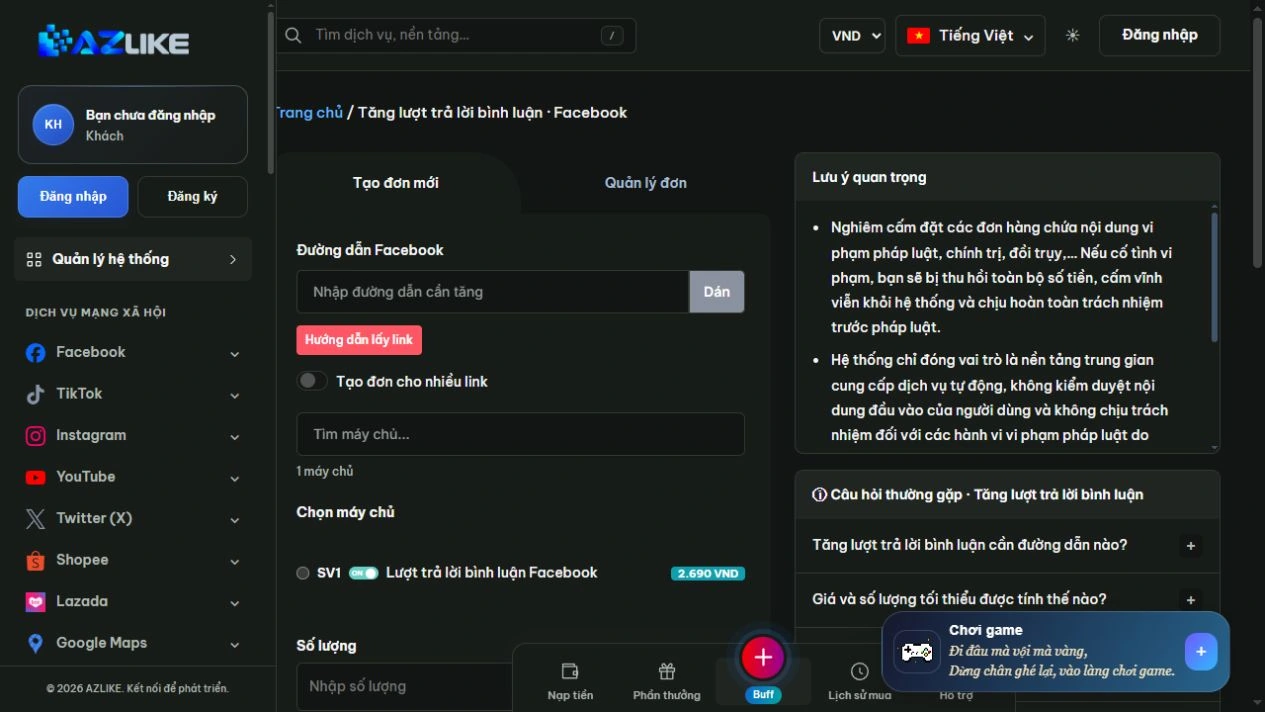
Step 2: Select the appropriate server
Use the search box or page up in the list to see the options. Read the description before selecting the round button next to the server, especially about the type of content, access conditions and data to be entered.
Step 3: Complete the settings and check the cost
Enter the username if prompted, and fill in the contents of the reply line by line. With custom types, the quantity can be calculated from valid rows.
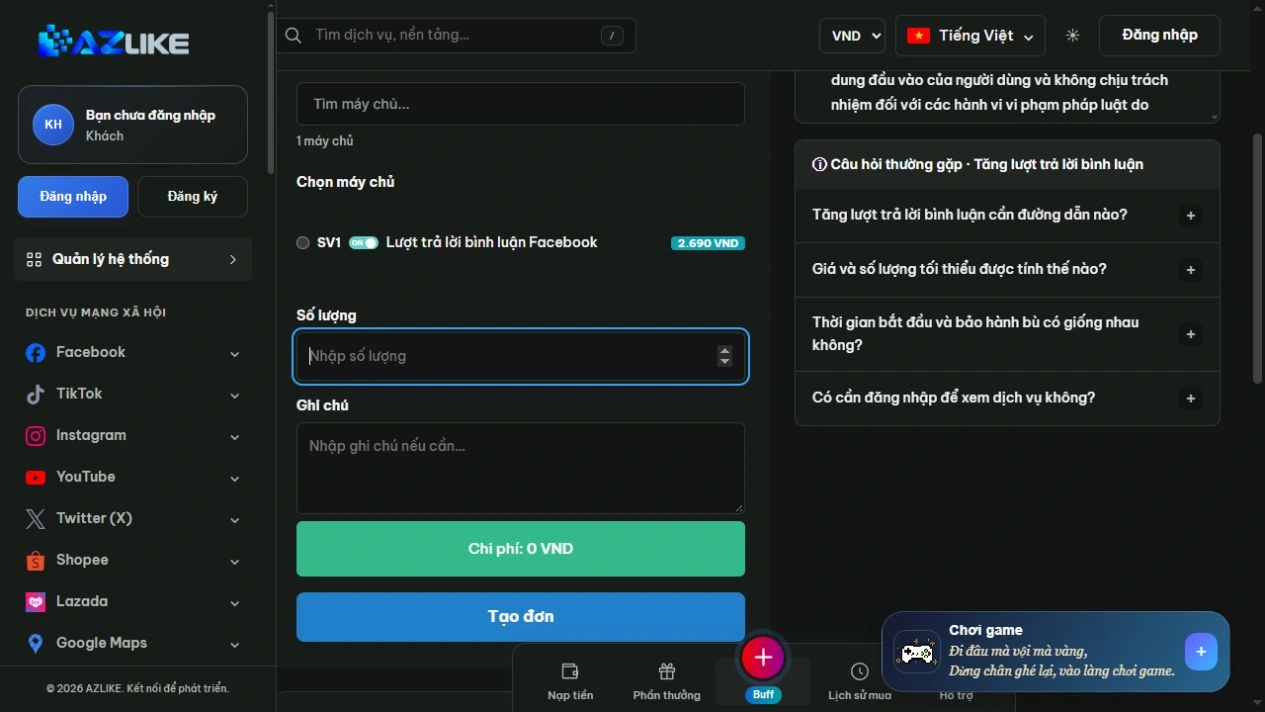
Step 4: Confirm and track the order
Log in to AZLIKE to create and manage your tickets. Check links, servers, add-ons and costs before clicking Place order. Check the receipt and order number, then open Manage orders to track the correct service.
If the submission result is unclear, check the history before retrying. When you need help, send us your order number and a description of the problem AZLIKE support.
Frequently asked questions
Is a reply the same as a new comment?
No, no. Answers are in the specific thread, comments are a separate section under the post.
Why is a username required?
Some servers use this field to identify the respondent. Just follow the prompts on the screen.
Do I need to enter a separate quantity?
If the form is calculated from the table of contents, check the row number instead of correcting the number manually.
Where can I find processing times and policies?
View information about the selected server and its status. Conditions may differ between options; if not clear, contact support before booking.
Related Facebook services
Choose additional functionality specific to the content target:
Conclusion
Feedback in the right stream helps the discussion keep content flowing. Prepare clear identification information and answers, then check the configuration form on AZLIKE before confirming.
Exploration I'm going to answer your facebook comment at AZLIKE, choose the appropriate configuration and start from your actual needs.