
TikTok video likes: a practical guide
A well-made video deserves a clear engagement plan. Before choosing a TikTok likes service, identify the video, your budget, and a suitable server option. This illustrated guide shows you how to check prices, find the right link, and place an order on AZLIKE.

 azlike.net
Read the full guide
What are TikTok likes, and when are they relevant?
TikTok hearts are likes on a specific video. They are separate from account followers, saves and views. Choose video likes when you want likes on a published video; a profile link does not apply the order to every video.
If you are planning a series of posts, choose the priority video before allocating your budget. A product introduction, a personal experience, and an informational video may have different engagement goals. Likes are only one part of the picture; assess content quality and viewer feedback separately.
Prepare before creating order
- Open the correct video and check the upload account name.
- Keep the video accessible during processing.
- Identify the server for a video with an automatic variant if available.
Before confirming, reopen the target link and check the content. A correctly formatted link can still point to the wrong video, account or live stream. Checking it now helps prevent an order for the wrong target.
Where can I check prices for TikTok video likes?
The server list above shows available options and unit prices. Use the search field or page controls to compare them. After choosing a server and quantity, check Cost to check the total cost of the configuration, instead of using the price of another option as a basis.
Choose the server according to the object, limit the number and condition of processing. If the server does not allow ordering, do not attempt to place an order with the old configuration. When changing options, review the fields that appear on the form to ensure the information is still relevant.
How to increase TikTok hearts on AZLIKE
Step 1: Open the service and enter the link
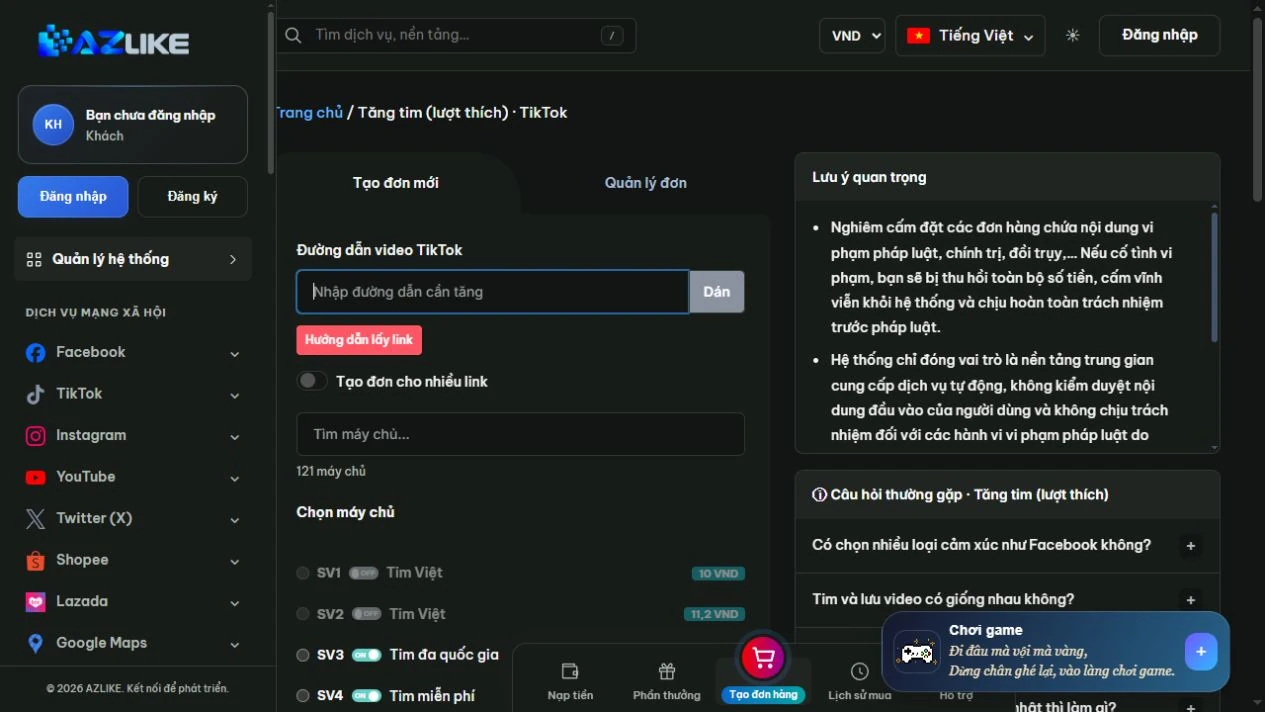
In the TikTok menu, select Video likes. Copy the sharing link of the TikTok video, open it to test the video and paste it into the TikTok video URL box. You can use buttons Paste or directly enter; items How to find the link Format comparison support.
Step 2: Match and select server
Read the name, description and conditions of the option, then select the corresponding round button. With a long list, search for the information you need instead of hastily selecting a line. The status and unit price on the form are data used to check before ordering.
Step 3: Configure quantity and cost
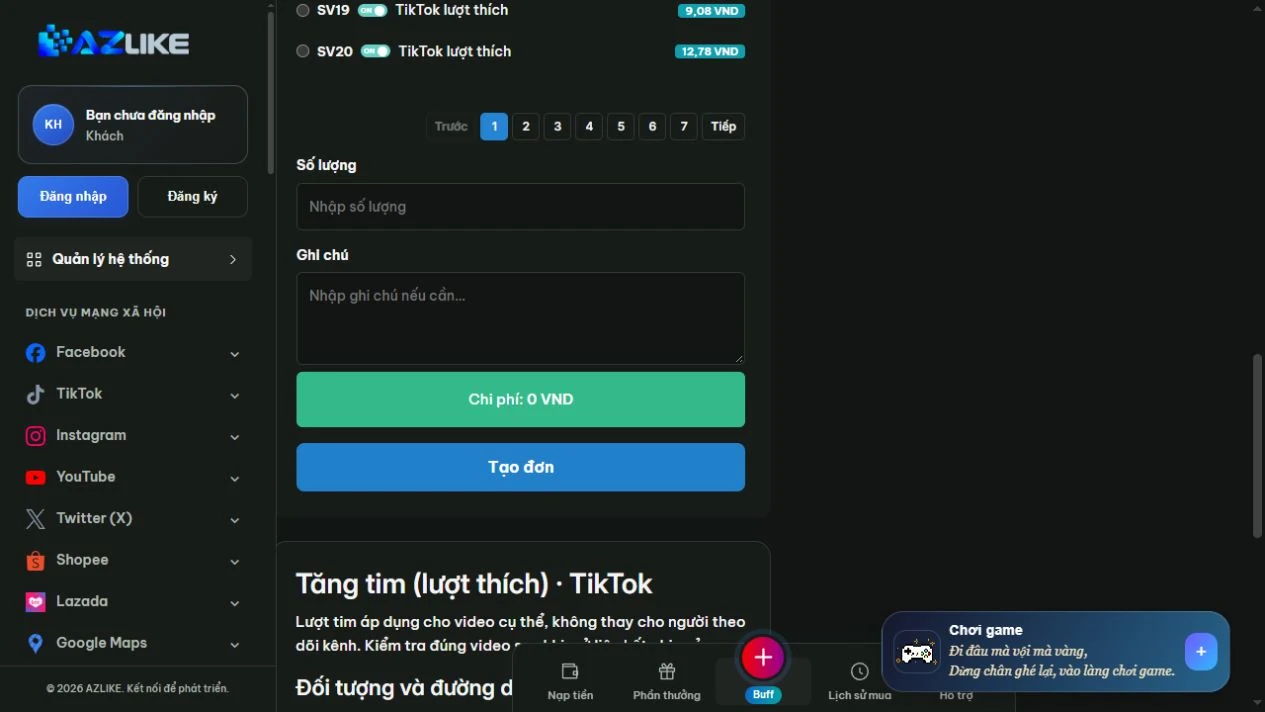
Enter the number of hearts within the server's limit. If a variant with additional fields is selected, the correct field completion is displayed; by default not all servers run automatically for new videos.
Step 4: Confirm and manage orders
Log in to your AZLIKE account, check your links, servers, add-on fields and costs, and click Place order. Read receipt notification, save order code and open Manage orders to track the correct service.
If you are unsure whether the request has been received, check the history before retrying. When you need a comparison, send the order number and a description of the problem AZLIKE support; do not send TikTok passwords in exchange content.
Frequently asked questions
Do video likes also increase followers?
No, no. Heart video and channel followers are two separate sections. Only compare the metrics listed in the selected server description.
Can I order likes for multiple videos?
The multi-link option can be used when the server supports it. Each line must be a video; check the number of each link and the total cost before confirming.
Where can I check processing times and policies?
See the server description and the corresponding status bar. The options may have different conditions; if the information is unclear, please discuss with support before confirming. Do not use the policy of one server to infer for the entire service.
Related TikTok services
Choose the correct item for the object and type of interaction you need:
Conclusion
Making TikTok managerially effective starts from choosing the right video and budget. AZLIKE allows you to compare choices right on the form, track each request and proactively adjust content planning. Start with the video you want to focus on, check the configuration and choose the appropriate solution.
View Options Increase TikTok hearts at AZLIKE and check the configuration right on the service form to get started.