
Facebook group members: a practical guide
A Facebook group needs a clear topic, easy-to-understand rules and regular management activities. When using the group membership service on AZLIKE, check the group's membership and review mechanism before choosing a server.

 azlike.net
Read the full guide
Increase Facebook group membership: what do you need to know?
The number of group members is different from the number of individual followers or Fanpage. Participation depends on how the group allows access, the question input and the member browsing process. You should not apply the same configuration to all groups.
A new member does not automatically mean a positive discussion. The welcome message, activity topics and feedback from the administrator help the team have a better experience.
Prepare before using the service
- Check that the correct group and path are working.
- Matches public or private groups with the server conditions.
- Please review the participation question and approval mechanism before posting.
Prices and how to choose a server
The unit price and status are displayed in the server list above. Compare choices by supporting objects, quantity limits and processing conditions. After Configuration, Check Entry Cost To check the budget before confirming.
Only select the servers that are currently allowing requests. If you change servers, review the quantity and additional fields; the policy of the previous selection does not apply by default to the new choice.
How to increase membership of Facebook group on AZLIKE
Step 1: Select Service and Enter Link
Open the correct service: Group members in the Facebook menu. Paste the Facebook group link, do not use the group post or the administrator's social media profile. Use buttons Paste or paste directly; open How to find the link When you need to compare.
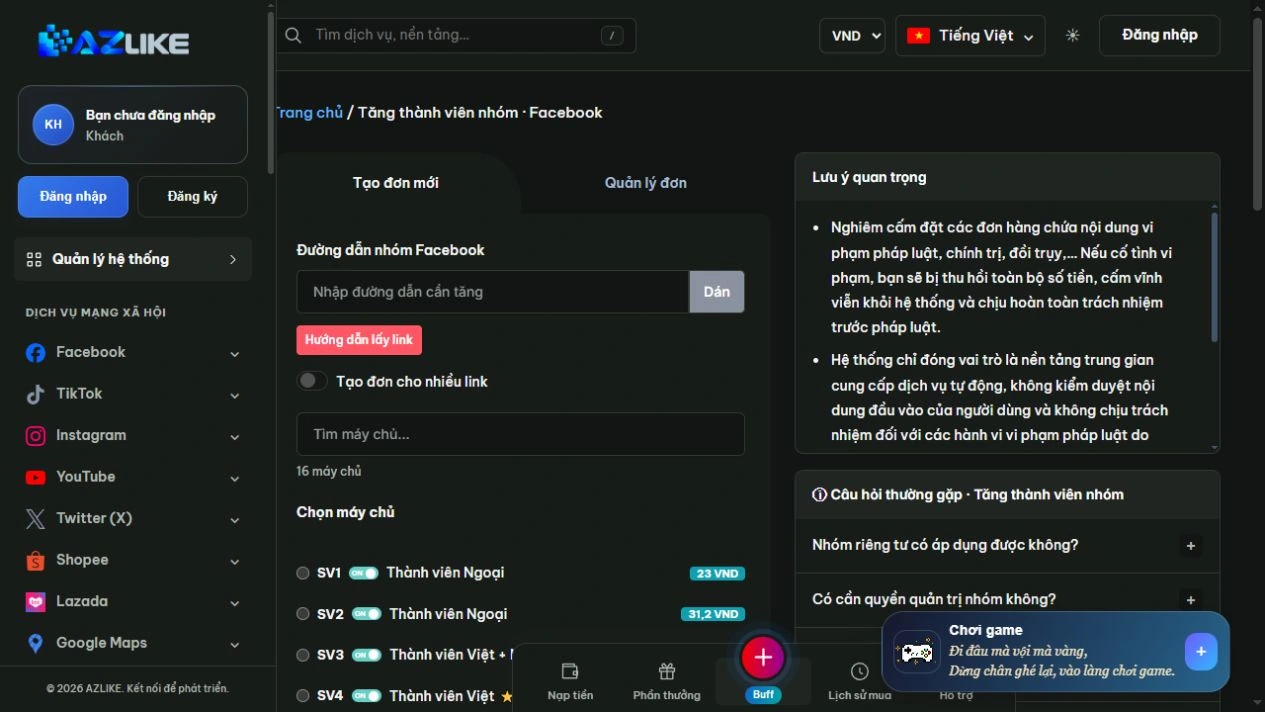
Step 2: Select the appropriate server
Use the search box or page up in the list to see the options. Read the description before selecting the round button next to the server, especially about the type of content, access conditions and data to be entered.
Step 3: Complete the settings and check the cost
Enter the number of members within the limit. Fill in additional fields if any; do not share administrative rights or passwords to fill out forms.
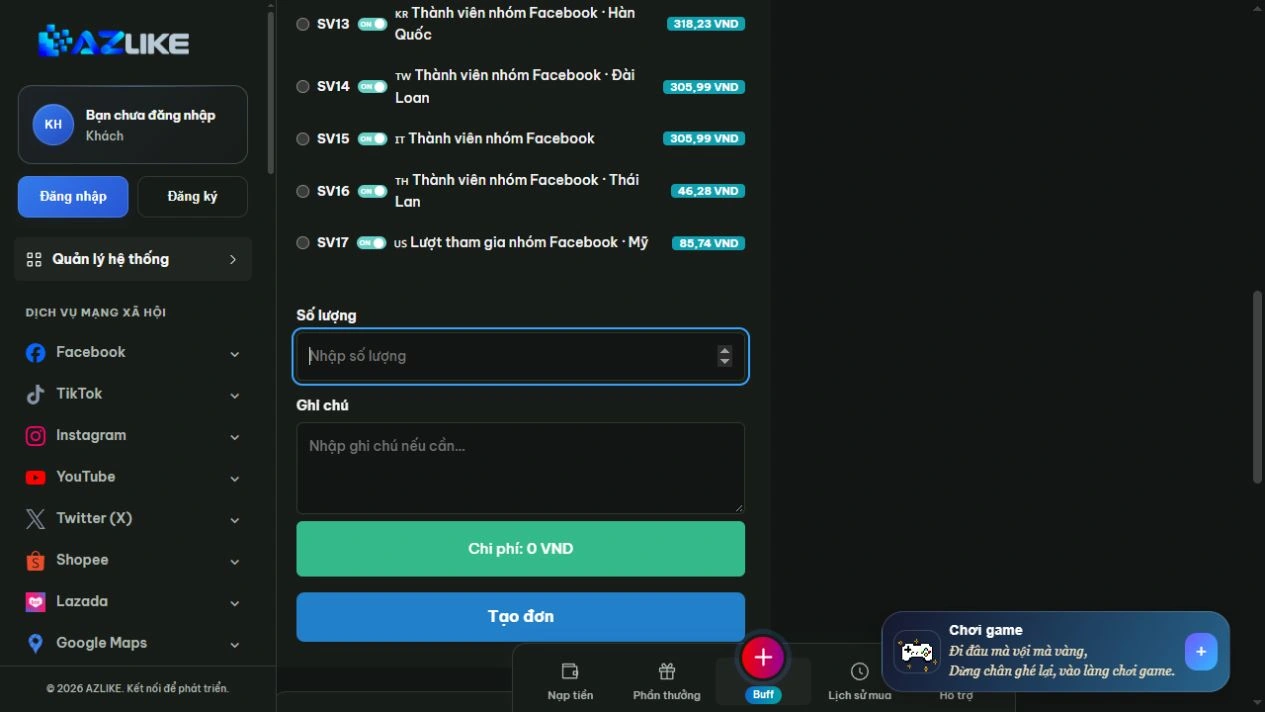
Step 4: Confirm and track the order
Log in to AZLIKE to create and manage your tickets. Check links, servers, add-ons and costs before clicking Place order. Check the receipt and order number, then open Manage orders to track the correct service.
If the submission result is unclear, check the history before retrying. When you need help, send us your order number and a description of the problem AZLIKE support.
Frequently asked questions
Are private groups supported?
Check the service requirements and membership approval process. Do not assume every private group is supported.
Do more group members also increase the number of posts?
No, no. Membership and posting activities are separate targets.
Is an administrator password required?
Do not insert passwords, OTPs or cookies into links, notes or supported content.
Where can I find processing times and policies?
View information about the selected server and its status. Conditions may differ between options; if not clear, contact support before booking.
Related Facebook services
Choose additional functionality specific to the content target:
Conclusion
Community development needs to go hand in hand with appropriate governance and content. Prepare the right group conditions, choose a server that meets your needs and follow up on orders to increase members on AZLIKE.
Exploration Increase membership of facebook group at AZLIKE, choose the appropriate configuration and start from your actual needs.