
TikTok livestream comments: a practical guide
During a LIVE, the commentary must be appropriate to what is happening. The TikTok livestream comment boost service has different requirements than regular video comments. The instructions below will help you prepare the content and check the configuration on AZLIKE.

 azlike.net
Read the full guide
What is a TikTok livestream and what needs does it meet?
Live commentary is directed to a LIVE session. When preparing the request, identify the sending account and see if the server supports custom comment text. All options should not be used by default in the same format or the same way of counting.
Relevant content is a question or discussion related to the topic being broadcast. Avoid repeating a sentence, giving private information, impersonating a customer or creating reviews of unreal experiences. In addition to simple configuration, the channel owner needs to check comment settings and censorship activities to understand why a content might not appear as expected.
Prepare before creating order
- Prepare the LIVE session and the correct topic content.
- Read line-by-line input requests if available.
- Refers to the channel's comment configuration.
Before confirming, reopen the target link and check the content. A correctly formatted link can still point to the wrong video, account or live stream. Checking it now helps prevent an order for the wrong target.
Where can you watch TikTok livestream comment price increase?
The server list above shows available options and unit prices. Use the search field or page controls to compare them. After choosing a server and quantity, check Cost to check the total cost of the configuration, instead of using the price of another option as a basis.
Choose the server according to the object, limit the number and condition of processing. If the server does not allow ordering, do not attempt to place an order with the old configuration. When changing options, review the fields that appear on the form to ensure the information is still relevant.
How to increase TikTok livestream comments on AZLIKE
Step 1: Open the service and enter the link
In the TikTok menu, select Livestream comments. Paste receiving link according to LIVE comment server instructions. Check the correct account and session status before confirming. You can use buttons Paste or directly enter; items How to find the link Format comparison support.
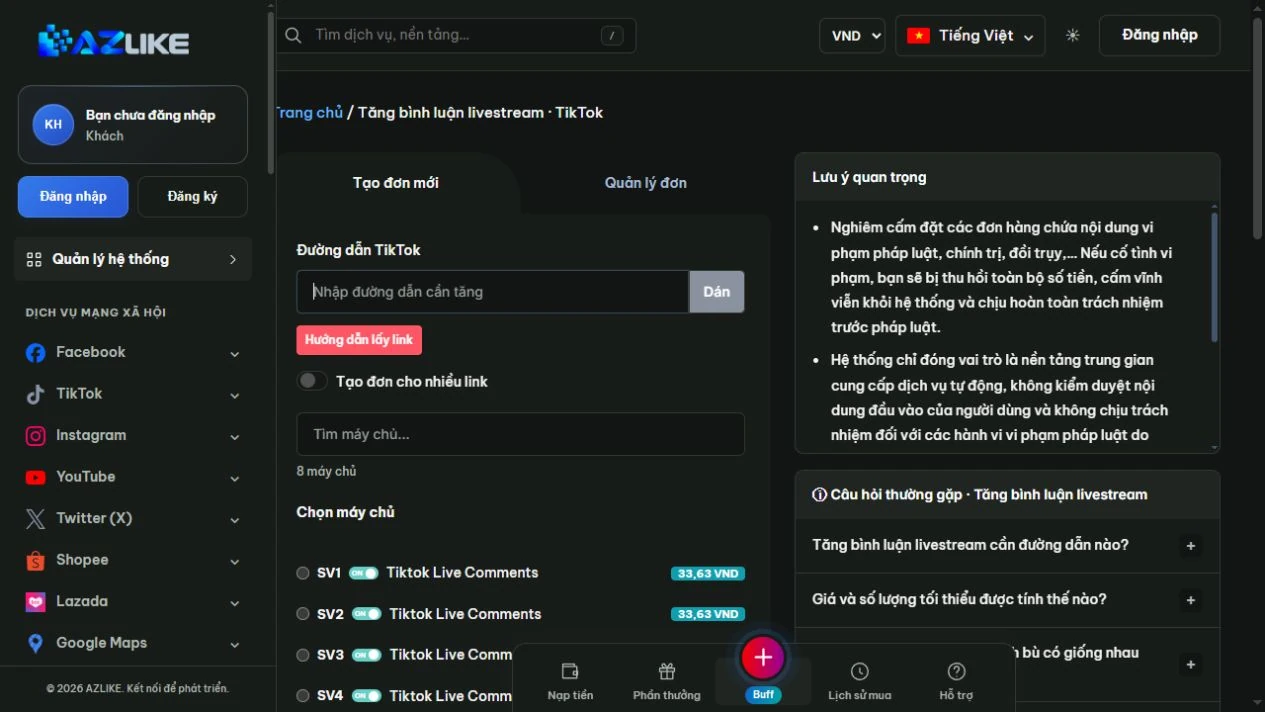
Step 2: Match and select server
Read the name, description and conditions of the option, then select the corresponding round button. With a long list, search for the information you need instead of hastily selecting a line. The status and unit price on the form are data used to check before ordering.
Step 3: Configure quantity and cost
Select the server to see the actual content field. Fill in comments in the correct fields, check the calculated quantity and total cost; the Notes box does not replace the comment field.
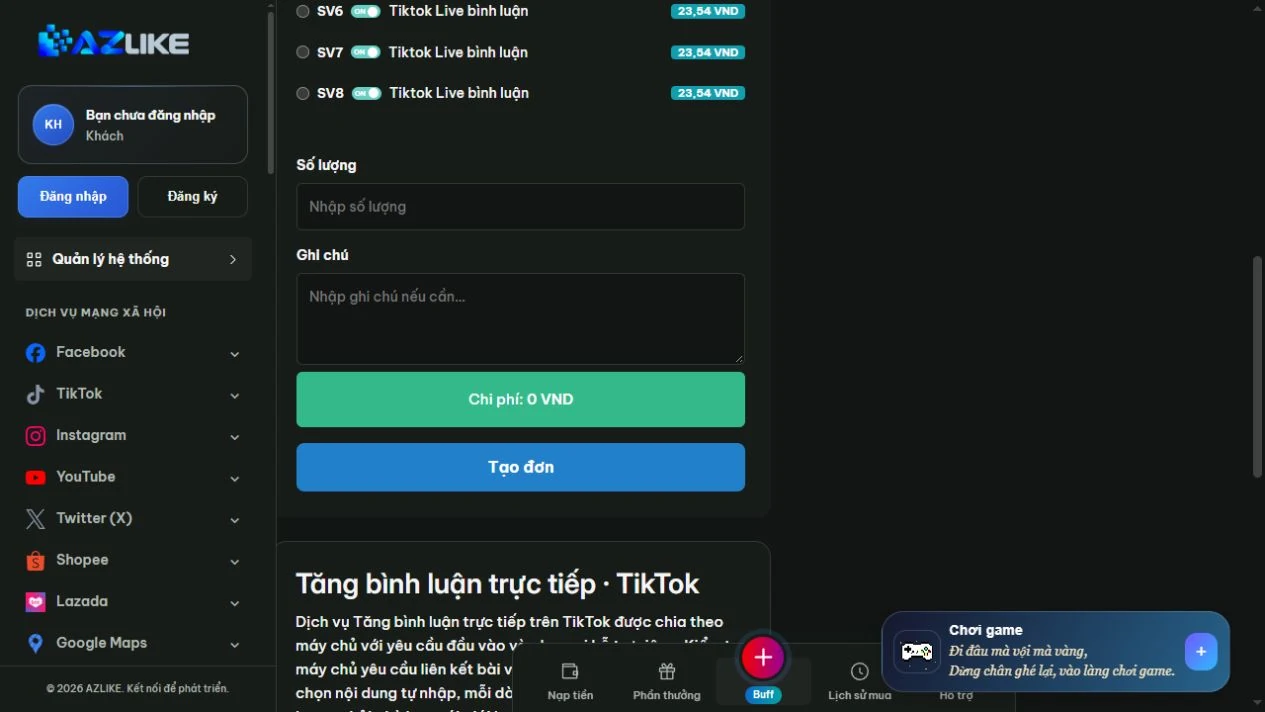
Step 4: Confirm and manage orders
Log in to your AZLIKE account, check your links, servers, add-on fields and costs, and click Place order. Read receipt notification, save order code and open Manage orders to track the correct service.
If you are unsure whether the request has been received, check the history before retrying. When you need a comparison, send the order number and a description of the problem AZLIKE support; do not send TikTok passwords in exchange content.
Frequently asked questions
Are LIVE comments the same as video comments?
No, no. These are two different subjects. With posted videos, use the video comment section instead of the live section.
Can I prepare the content before going live?
You can edit the content for pre-screening. The time of order creation must comply with the LIVE session conditions of the server.
Where can I check processing times and policies?
See the server description and the corresponding status bar. The options may have different conditions; if the information is unclear, please discuss with support before confirming. Do not use the policy of one server to infer for the entire service.
Related TikTok services
Choose the correct item for the object and type of interaction you need:
Conclusion
TikTok livestream commentary should start from appropriate content and correct reception. AZLIKE provides optional configuration fields for you to check costs and manage orders; please review each content before confirming.
View Options Comment on livestream TikTok at AZLIKE and check the configuration right on the service form to get started.