
Reporting Google Maps reviews correctly: a practical guide
Reporting Google Maps reviews correctly — Disagreeing with a rating does not mean that the rating is infringing. Identify the reasons and evidence before considering reporting.

Read the full guide
Key differences to understand before you start
Reporting Google Maps reviews correctly must match the intended target: See the detailed review on Google Maps. The report does not guarantee that Google will remove the review. Do not choose a server just because its name looks similar. Read the selected option's description and check the target content.
On AZLIKE, the search box narrows down the server list. The information shown for each server helps you compare the available options. Prices and limits depend on the server you select; use the current form settings as your reference, rather than relying on a screenshot alone.
An example to help you choose correctly
A review saying that a drink is not tasty may be a valid opinion, while the disclosure of personal information needs to be considered according to policy. Choose the reason for reporting based on specific content, not based on low star rating.
Things to check before using the service
- Check the target content: Reopen the link and check that it points to See the detailed review on Google Maps before confirming.
- Understand what the service covers: The report does not guarantee that Google will remove the review.
- Keep the content and link unchanged: Avoid deleting the content or changing its link while your request is being processed.
- Do not resubmit an order if its outcome is unclear: Check your order history first. If needed, send the order ID to support so they can check it.
Tips for a more focused approach
Practical tip for Reporting Google Maps reviews correctly: Keep review references and describe the point of violation; distinguish negative comments from non-policy content.
How to assess your results: Record what you changed, when you changed it, and the metric you want to track. Compare results under similar conditions rather than attributing every change to a single cause. If your goal is sales or community retention, also track feedback and meaningful actions.
Check the service category and choose an appropriate approach
1. Identify the correct location or review
Check the name, address and content of the report. It 's based on experience or real evidence; does not take the desired number of stars as the basis for writing content.
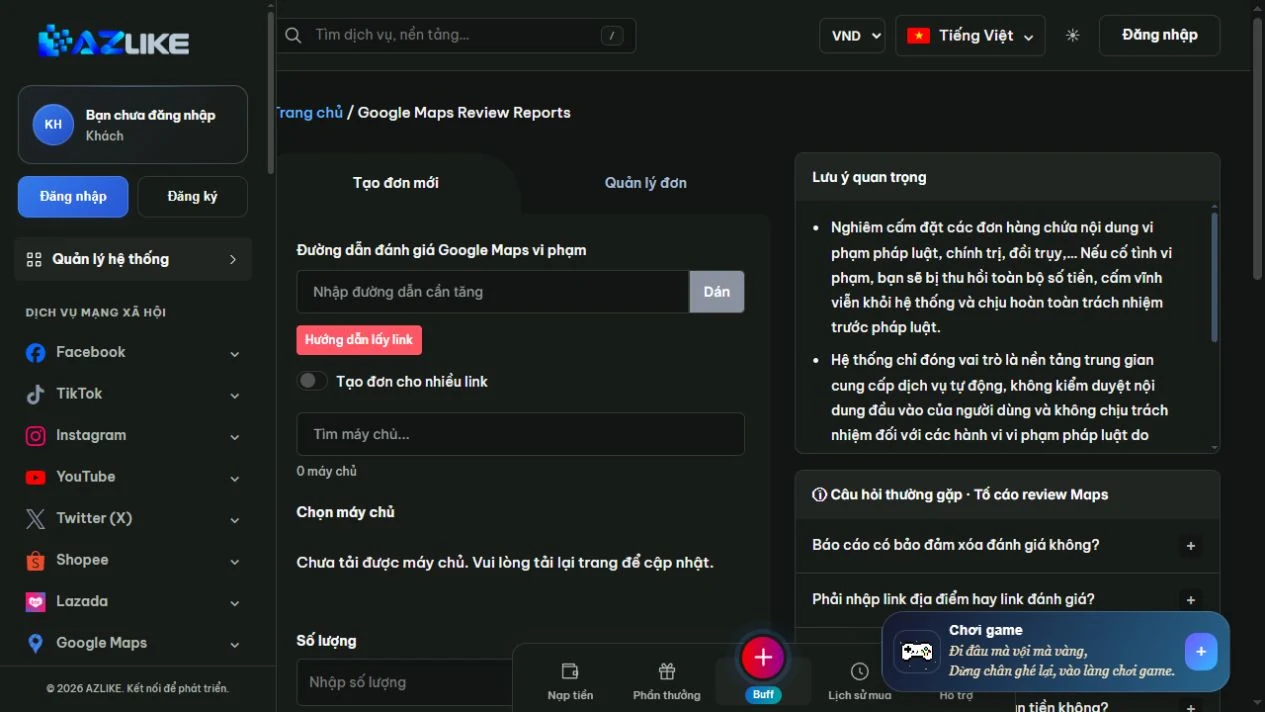
2. Check the conditions before considering
The image shows the location of the information in the AZLIKE section. Having a display server does not replace the requirement to comply with platform policies. If the request is based on false assessments or unfounded reports, no order created.
3. Prioritize transparent feedback
Customers can describe the actual experience; business owners should respond calmly and solve the specific problem. With the content of suspected violations, use the official reporting mechanism and keep evidence for reference.
Frequently asked questions
What should I check before choosing Reporting Google Maps reviews correctly?
The report does not guarantee that Google will remove the review. Read the description and identify the correct target before comparing prices.
What do I need besides the link?
Prepare the relevant information for See the detailed review on Google Maps and review the fields that appear when you select a server. Enter only the information required for that configuration. Do not put passwords in the notes.
Where can I check prices and processing conditions?
Check the server list, descriptions, and the total cost after entering the quantity. Conditions vary between options. If anything is unclear, contact AZLIKE support before confirming.
The real experience is the core requirement: Do not create false ratings, trade benefits for ratings or organize downgrading of competitors. See Google Maps content policy before it's done.
Explore related services
Conclusion
Reporting Google Maps reviews correctly — start by understanding See the detailed review on Google Maps and your goal. Keep review references and describe the point of violation; distinguish negative comments from non-policy content. Prepare your content and review the configuration carefully so you can monitor results with a clear plan.
Visit Reporting Google Maps reviews correctly on AZLIKE, check the current information, and choose an option that fits your needs.