The LIVE room sharing needs to be attached to the actual broadcast being deployed. If you are looking for a TikTok livestream sharing service, prepare the receiving link and carefully read the server's time conditions. Below is how it works on AZLIKE.
azlike.net
TikTok livestream shares on AZLIKERead the full guide
What is TikTok livestream sharing and what needs does it meet?
Livestream sharing is a feature for live sessions, unlike Share posted video. A social media profile link can be used to identify the channel in some options, while other options require specific formatting; therefore, the server's guidelines are chosen as the primary basis.
Before the LIVE, you should agree on the broadcast account, time frame and content of the program. Once started, check that the session is still active before confirming the request. The number of shares does not mean that the number of simultaneous viewers will increase accordingly, and is not a substitute for show guidance or viewer feedback.
Prepare before creating order
Identify the correct account and LIVE session.
Checking the link format by server.
Allow time to monitor progress during the broadcast.
Before confirming, reopen the target link and check the content. A correctly formatted link can still point to the wrong video, account or live stream. Checking it now helps prevent an order for the wrong target.
Where is the TikTok livestream share price rise being watched?
The server list above shows available options and unit prices. Use the search field or page controls to compare them. After choosing a server and quantity, check Cost to check the total cost of the configuration, instead of using the price of another option as a basis.
Choose the server according to the object, limit the number and condition of processing. If the server does not allow ordering, do not attempt to place an order with the old configuration. When changing options, review the fields that appear on the form to ensure the information is still relevant.
How to increase TikTok livestream sharing on AZLIKE
Step 1: Open the service and enter the link
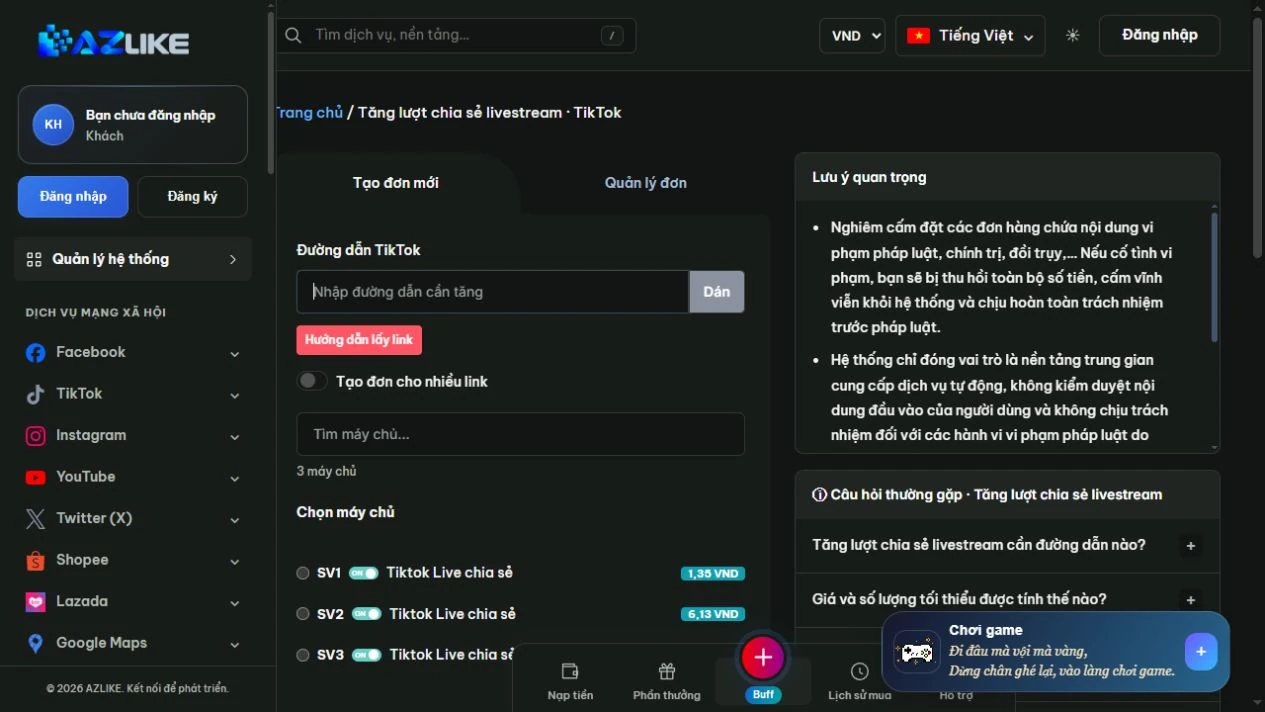
In the TikTok menu, select Livestream shares. Enter the TikTok link as requested by the LIVE sharing server. Reopen the link to confirm the correct channel is being broadcast before sending. You can use buttons Paste or directly enter; items How to find the link Format comparison support.
Order settings for TikTok livestream shares on AZLIKE
Step 2: Match and select server
Read the name, description and conditions of the option, then select the corresponding round button. With a long list, search for the information you need instead of hastily selecting a line. The status and unit price on the form are data used to check before ordering.
Step 3: Configure quantity and cost
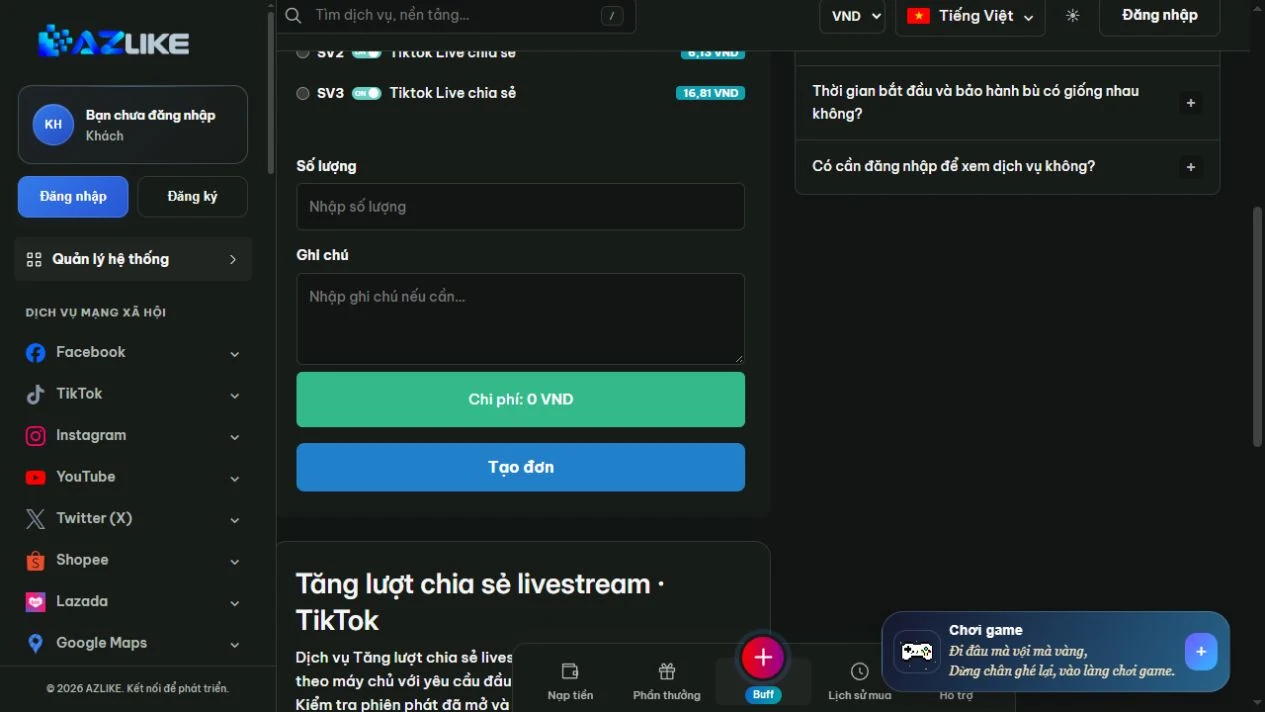
Fill in the number of shares and fields to display. Monitors unit pricing, server status and total cost; does not use Share video configuration to predict for Share LIVE.
Quantity and cost settings for TikTok livestream shares on AZLIKE
Step 4: Confirm and manage orders
Log in to your AZLIKE account, check your links, servers, add-on fields and costs, and click Place order. Read receipt notification, save order code and open Manage orders to track the correct service.
If you are unsure whether the request has been received, check the history before retrying. When you need a comparison, send the order number and a description of the problem AZLIKE support; do not send TikTok passwords in exchange content.
Frequently asked questions
Do LIVE shares include live viewers?
Not necessarily. If simultaneous viewers are required, refer to the livestream's own viewer section and the conditions of that option.
Should I place an order after the LIVE session has ended?
We need to compare the server request. For broadcast session-dependent services, wait until the session is active before creating a request.
Where can I check processing times and policies?
See the server description and the corresponding status bar. The options may have different conditions; if the information is unclear, please discuss with support before confirming. Do not use the policy of one server to infer for the entire service.
Related TikTok services
Choose the correct item for the object and type of interaction you need:
Increasing TikTok livestream sharing requires coordination between receiving link, timing and configuration. Setting up broadcast techniques and checking the server on AZLIKE will help you manage Share LIVE requests clearly, in line with the program schedule.


 azlike.net